

A standard keyboard fixes both hands in one narrow position. Most of the time you work around it without thinking—until a long day leaves your wrists angled outward or your mouse pushed too far to the side. A split keyboard lets you move the two halves instead of moving your body around the board.
Elytra takes a fairly conservative approach to that idea. It is fully wireless, low-profile, and split, but the 63-key row-staggered QWERTY layout still looks familiar. That makes it a useful way to see what a split layout changes without adding a second learning curve at the same time.
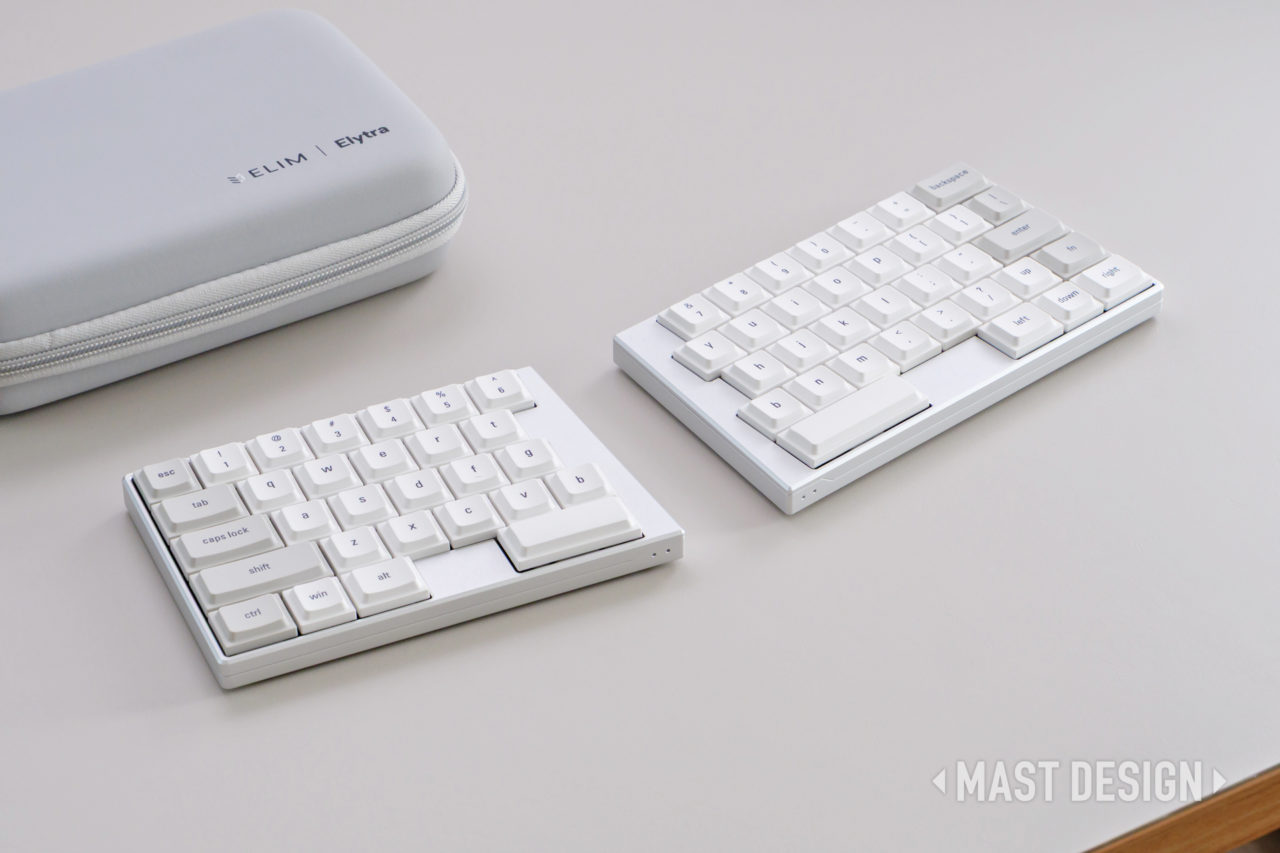
Elytra shown as two separate low-profile halves with its carry case. Image source: MAST DESIGN.
What the split changes
With a one-piece keyboard, both forearms angle toward the center. Pull the Elytra halves apart and each hand can sit closer to its natural resting line. You can also rotate each half slightly instead of accepting one fixed angle. The change may seem small in a short session, but it becomes easier to notice after several hours.
MAST DESIGN's review describes using the halves around shoulder width, while Keyboard Builders' Digest highlights the freedom to adjust distance and angle independently. Those observations are more useful than broad ergonomic claims because they describe the part of the design the user can actually control.
The rest of the desk still matters. A chair that is too low or a mouse that is too far away can make any keyboard uncomfortable. The split layout simply adds an adjustment a one-piece board does not have. Persistent pain is a separate issue and should not be treated as a keyboard problem alone.
Video source: MAST DESIGN - Elytra review and beginner-friendly split-keyboard setup.

ElimKeys Elytra split keyboard halves with loose keycaps. Image source: ElimKeys official product media.
How familiar does Elytra feel?
Many ergonomic keyboards pair a split case with column-staggered keys, thumb clusters, or deep layers. Those choices can make sense, but they also change where almost every key lives. That is a real cost for someone who writes, edits, codes, or answers messages all day.
Elytra leaves the letter rows in the staggered pattern most people already know. Keyboard Builders' Digest positions it between conventional and specialist ergonomic boards, and MAST DESIGN reaches a similar conclusion. The arrow keys are still visible, the QWERTY rows are immediately recognizable, and there is no need to learn a completely new typing system on day one.
There are still adjustments. The physical gap stops either hand from crossing the center line, and some right-side keys sit in less familiar positions. Reviews repeatedly mention the right Shift area for a reason: that is the kind of change you notice in real work, especially if you use keyboard shortcuts heavily.
Video source: Daihuku Keyboard - Elytra ultralight wireless split keyboard review.

Elytra arranged as a separated wireless setup on a desktop with books and a small yellow figurine. Image source: ElimKeys official product media.
Typing speed is a separate question. In his Forbes article on Elytra, Mark Sparrow argues that the split can encourage clearer left-hand and right-hand responsibilities. That may help clean up technique over time, but it does not make the first few sessions faster.
The more realistic benefit is consistency. Once the halves are placed well, the hands have room to stay put and the mouse no longer has to sit as far to one side. A one-minute typing test will not capture much of that.
Laptop Retrospective's review is useful here because it treats the adjustment period as part of the product, not as a surprise. The compact layout takes some getting used to; the familiar rows keep that learning curve manageable.
If a particular modifier or shortcut keeps getting in the way, Vial gives you a way to move it rather than accepting a permanent compromise.
Video source: Laptop Retrospective - Elim Elytra split keyboard review.
Low profile, tenting, and desk height
Elytra is 11.8 mm at its thinnest, so the front edge sits much lower than on a typical full-height mechanical keyboard. The official product information and Keyboard Builders' Digest both call out the low-profile construction. In practice, that means less height for the wrists to clear.
It still feels like a mechanical keyboard, but it is closer in height to the laptop keyboards many people already use. A wrist rest may or may not help; desk height and typing posture matter more than adding one automatically.
Tenting changes something different. Raising the inner edges reduces how far the forearms rotate inward, while separating the halves changes width and horizontal angle. Elytra is flat by default, and ElimKeys offers an optional tenting kit for users who want to test that position.
Portability is another part of the appeal. According to the official ElimKeys specifications, the full-aluminum board weighs 440 g and supports USB-C, Bluetooth, multi-device switching, hot-swappable low-profile switches, and Vial remapping. With the carry case, it is realistic to move between a home desk, an office, and a laptop setup.
MAST DESIGN focuses on the aluminum build and wireless use; Keyboard Builders' Digest adds the hotswap PCB and Kailh Choc V2 compatibility. More importantly, neither review treats Elytra like a DIY kit. It arrives as a finished product rather than a project that expects soldering or firmware setup.
That matters because portable ergonomic hardware only helps when it is easy enough to bring along. A board with excellent geometry can still end up in a drawer if packing and reconnecting it becomes a chore.
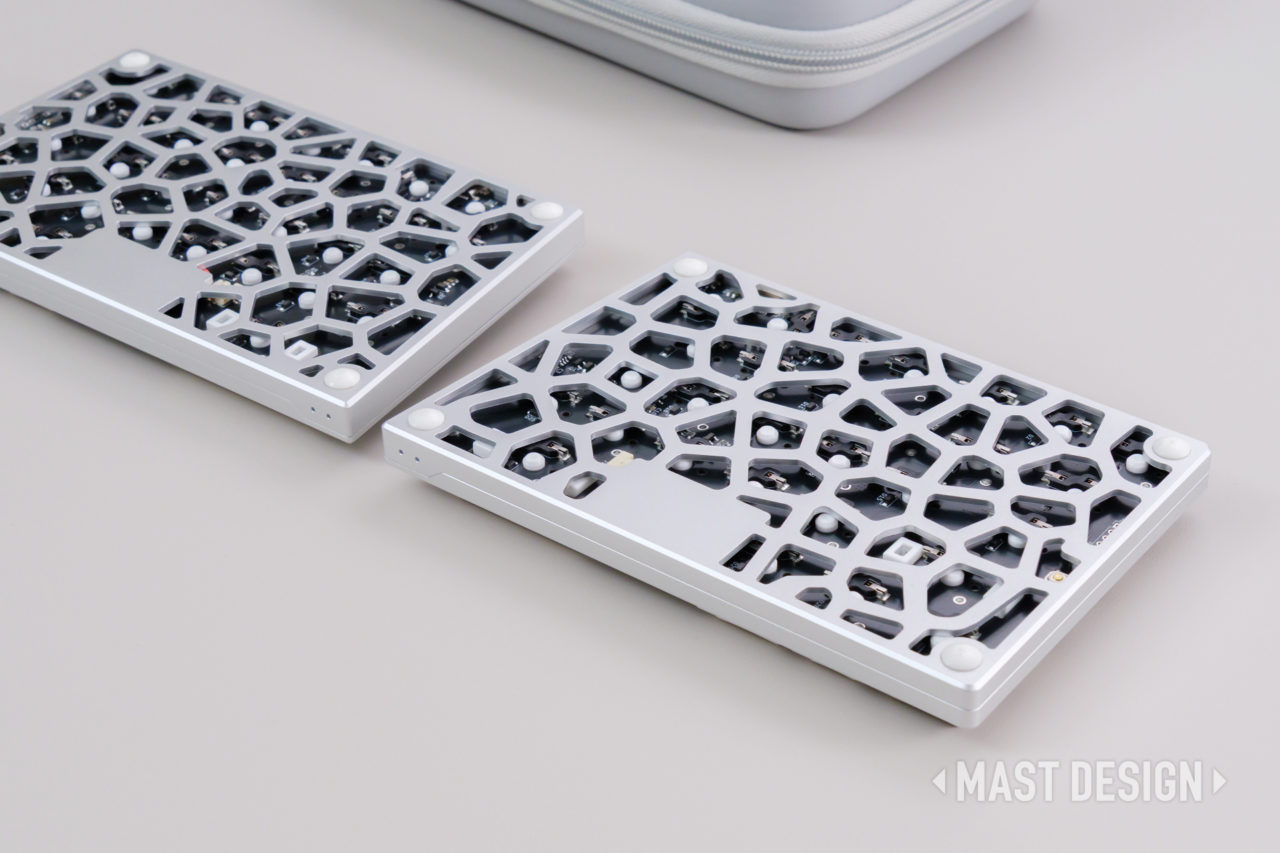
The cut-out aluminum underside is part of Elytra's lightweight design. Image source: MAST DESIGN.
Why Vial matters on a 63-key board
The compact layout keeps dedicated arrow keys, but there is not room for every modifier in its usual full-size position. MAST DESIGN notes that the up-arrow key can also act as right Shift through Mod-Tap. Users who rely on right Shift, right Alt, language switching, or app-specific shortcuts will probably want to review the default map.
Vial makes those changes without turning setup into a firmware project. Keyboard Builders' Digest lists layers, SpaceFN, tap-hold, tap-dance, macros, and combos, while ElimKeys confirms full key remapping. A frequently used command can be moved closer to the home row in a few minutes.
The useful changes will differ by person. A writer might move punctuation or navigation keys, a developer may build a symbol layer, and a bilingual user can give language switching a more convenient key. That flexibility is what makes the compact layout workable for more than one type of user.
Video source: BiboyHaranero - Split + Low + Premium: ElimKeys Elytra.
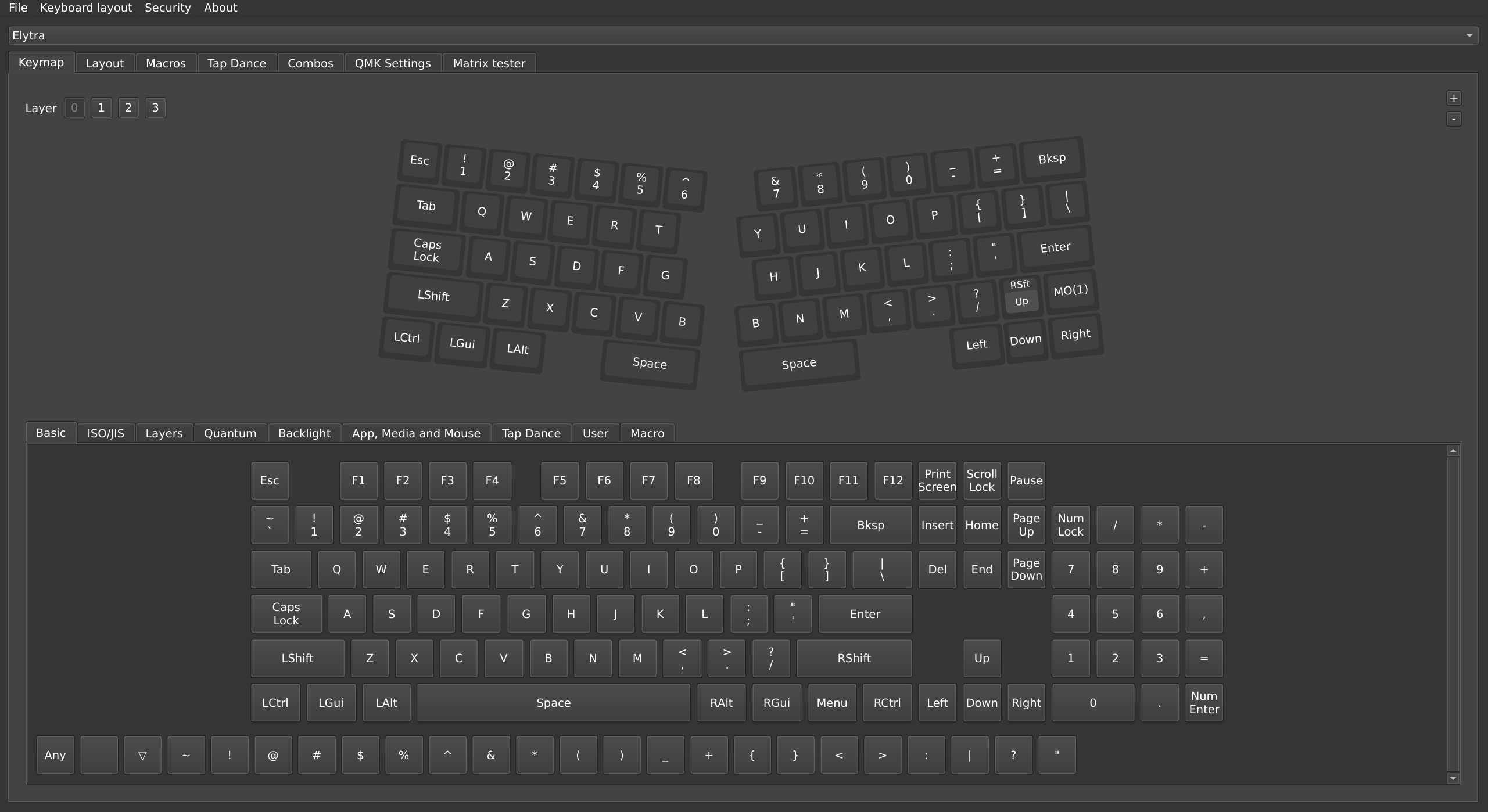
Vial lets the compact physical layout adapt to different workflows. Image source: MAST DESIGN.
Who is Elytra for?
Elytra makes the most sense for someone who wants to try a split layout without leaving familiar QWERTY behind. It also suits people who work across several computers or move between home and office, since the halves are wireless and the board has a carry case.
It is a weaker fit for users who need a full-size layout, expect every right-side modifier in its traditional position, want steep tenting built in, or prefer the heavier sound and feel of a thick custom board. Those are not minor preferences; they shape whether the keyboard will still feel comfortable after the novelty wears off.
The first few days will involve some deliberate typing. Hands cannot cross the middle, shortcuts may need attention, and the two halves need to be placed each time you change desks. After that, the main question is simple: does the compact right side work with the keys you use every day?
Final take
A split keyboard gives you control over hand spacing and angle. Elytra adds that control without asking you to learn a new letter layout, while its low profile, wireless connection, and Vial support make it practical beyond a permanent desk setup.
It is best suited to typists who want a more open position without turning keyboards into a hobby. Place the halves where your hands naturally fall, use the board for a normal workday, and note which shortcuts still feel awkward; that will tell you more than the word "ergonomic" on a product page.
For current product information and availability, visit the official ElimKeys website.
Sources and further reading
Official links
- ElimKeys official website
- ElimKeys Elytra product page
- Elytra Kickstarter campaign page
- Vial configuration tool
Hands-on reviews
- MAST DESIGN Elytra review
- Forbes article by Mark Sparrow
- Keyboard Builders' Digest / KBD.news Elytra review
Video reviews featured in this article
- MAST DESIGN - Elytra review and beginner-friendly split-keyboard setup
- Daihuku Keyboard - Elytra ultralight wireless split keyboard review
- Laptop Retrospective - Elim Elytra split keyboard review
- BiboyHaranero - Split + Low + Premium: ElimKeys Elytra
Share:
Are Split Keyboards Better for Your Wrists and Shoulders?
Are Split Keyboards Better for Your Wrists and Shoulders? What Elytra Gets Right